
yay
Yet Another Yogurt - An AUR Helper Written in Go
Help translate yay: Transifex
Features
- Advanced dependency solving
- PKGBUILD downloading from ABS or AUR
- Completions for AUR packages
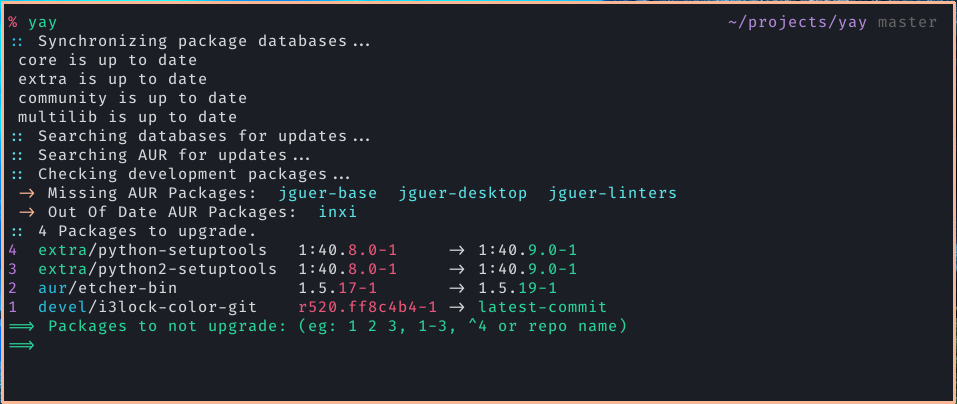
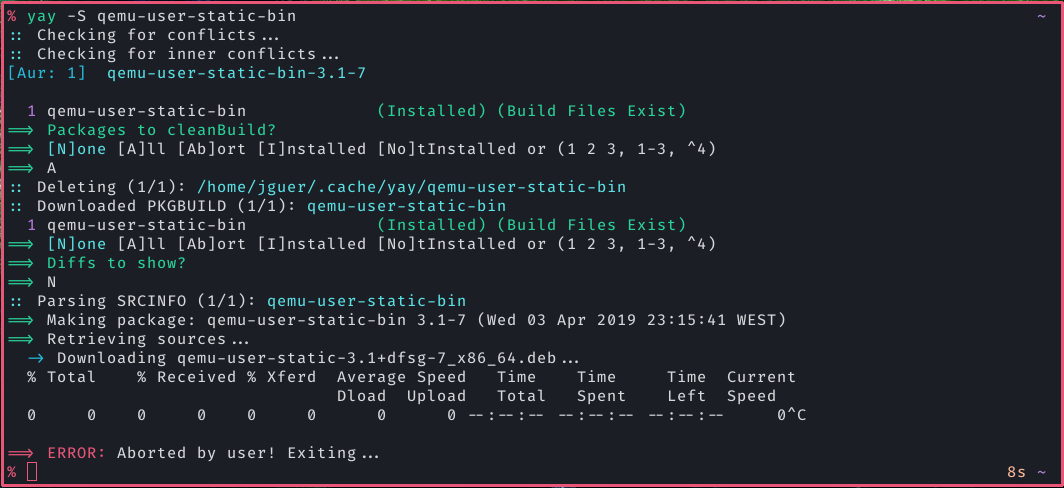
- Query user up-front for all input (prior to starting builds)
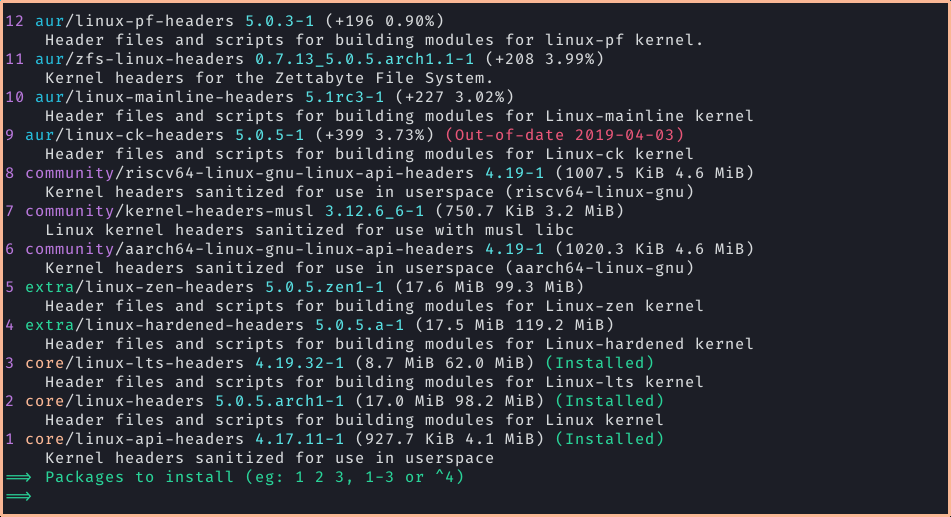
- Narrow search (
yay linux headerwill first searchlinuxand then narrow onheader) - Find matching package providers during search and allow selection
- Remove make dependencies at the end of the build process
- Build local PKGBUILDs with AUR dependencies
- Un/Vote for packages


Installation
If you are migrating from another AUR helper, you can simply install yay with that helper.
Warning
We are using
sudoin these examples. You can switch that out for a different privilege escalation tool.
Source
The initial installation of yay can be done by cloning the PKGBUILD and building with makepkg:
We make sure we have the base-devel package group installed.
sudo pacman -S --needed git base-devel
git clone https://aur.archlinux.org/yay.git
cd yay
makepkg -si
If you want to do all of this at once, we can chain the commands like so:
sudo pacman -S --needed git base-devel && git clone https://aur.archlinux.org/yay.git && cd yay && makepkg -si
Binary
If you do not want to compile yay yourself you can use the builds generated by GitHub Actions.
sudo pacman -S --needed git base-devel
git clone https://aur.archlinux.org/yay-bin.git
cd yay-bin
makepkg -si
If you want to do all of this at once, we can chain the commands like so:
sudo pacman -S --needed git base-devel && git clone https://aur.archlinux.org/yay-bin.git && cd yay-bin && makepkg -si
Other distributions
If you're using Manjaro or another distribution that packages yay
you can simply install yay using pacman (as root):
pacman -S --needed git base-devel yay
Warning
distributions sometimes lag updating yay on their repositories.
First Use
Development packages upgrade
-
Use
yay -Y --gendbto generate a development package database for*-gitpackages that were installed without yay. This command should only be run once. -
yay -Syu --develwill then check for development package updates -
Use
yay -Y --devel --saveto make development package updates permanently enabled (yayandyay -Syuwill then always check dev packages)
Lua Configuration (Experimental)
If init.lua exists in the current working directory, yay uses it for local
testing. Otherwise it falls back to the yay config directory. In either case,
Lua config replaces the user yay.conf and legacy config.json files.
- Working directory path:
./init.lua - Config path:
$XDG_CONFIG_HOME/yay/init.lua - Fallback path:
$HOME/.config/yay/init.lua - Shipped example:
init.lua.example
yay.opt
Use yay.opt.<key> for normal configuration values. Lua keys accept the same
settings as the INI config and can be written in snake_case or their existing
config name.
yay.opt.editor = "nvim"
yay.opt.build_dir = yay.api.expand("~/.cache/yay")
yay.opt.clean_menu = true
yay.opt.request_split_n = 150
yay.api
yay.api.getenv(name)returns the environment variable value ornilyay.api.expand(path)expands environment variables and~/...yay.api.info(message)writes an info log lineyay.api.warn(message)writes a warning log lineyay.api.error(message)writes an error log lineyay.api.capture(cmd, ...)runs a command and returnsstdout,stderr, andexit_codeyay.api.run(cmd, ...)runs a command with inherited stdio and returnsexit_codeyay.api.json_decode(json)decodes JSON into Lua tables
Hooks
yay.hook.on_prompt(name, default)can override menu answers forclean,diff,edit, andupgradeyay.hook.should_include_aur_update(pkg)can override the built-in version-based AUR upgrade decision
The pkg table passed to should_include_aur_update contains:
namebaserepositorylocal_versionremote_versionlocal_build_dateremote_last_modifieddefault_include
This is enough to recreate the old behavior of selecting AUR updates by update time instead of version:
yay.hook.should_include_aur_update = function(pkg)
  if pkg.default_include then
    return true
  end

  if pkg.repository ~= "aur" then
    return false
  end

  if pkg.local_version ~= pkg.remote_version then
    return false
  end

  if pkg.local_build_date == 0 then
    return false
  end

  return pkg.remote_last_modified > pkg.local_build_date
end
External Providers
Lua can also register fully custom upgrade providers under yay.provider.
Each provider owns both discovery and execution logic, so yay only handles the
menu plumbing.
yay.provider.<name>.search(terms)returns a Lua array of search resultsyay.provider.<name>.install(items)executes the selected search/yogurt items for that provideryay.provider.<name>.list()returns a Lua array of upgrade itemsyay.provider.<name>.upgrade(items)executes the selected items for that provider
Each search result can contain:
namerepositorybaseversioninstalled_versiondescriptionextra
Each upgrade item can contain:
namerepositorybaselocal_versionremote_versionextra
The shipped init.lua.example includes a Homebrew
provider that uses brew search and brew install for search/yogurt mode,
plus brew outdated --json=v2 and brew upgrade for upgrades.
Examples of Custom Operations
| Command | Description |
|---|---|
yay |
Alias to yay -Syu. |
yay <Search Term> |
Present package-installation selection menu. |
yay -Bi <dir> |
Install dependencies and build a local PKGBUILD. |
yay -G <AUR Package> |
Download PKGBUILD from ABS or AUR. (yay v12.0+) |
yay -Gp <AUR Package> |
Print to stdout PKGBUILD from ABS or AUR. |
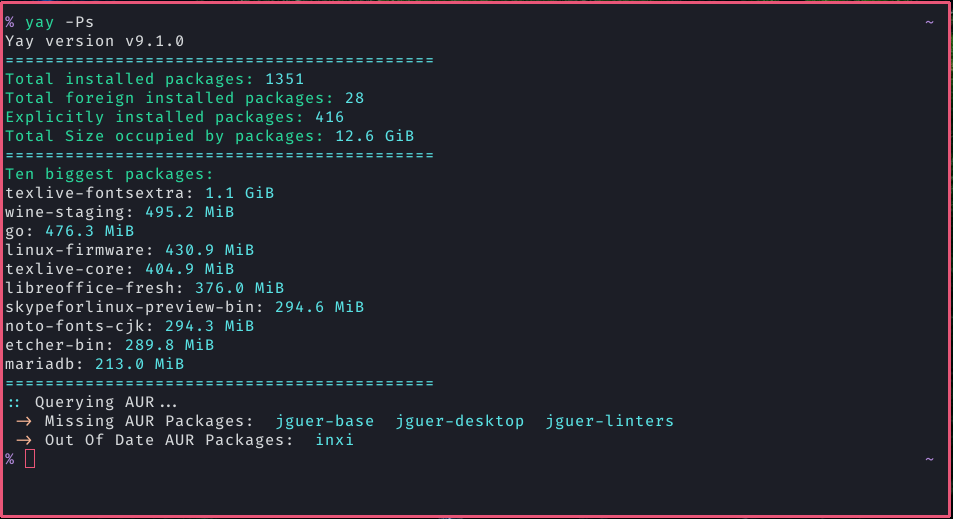
yay -Ps |
Print system statistics. |
yay -Syu --devel |
Perform system upgrade, but also check for development package updates. |
yay -Wu <AUR Package> |
Unvote for package (Requires setting AUR_USERNAME and AUR_PASSWORD environment variables) (yay v11.3+) |
yay -Wv <AUR Package> |
Vote for package (Requires setting AUR_USERNAME and AUR_PASSWORD environment variables). (yay v11.3+) |
yay -Y --combinedupgrade --save |
Make combined upgrade the default mode. |
yay -Y --gendb |
Generate development package database used for devel update. |
yay -Yc |
Clean unneeded dependencies. |
Frequently Asked Questions
-
yay does not display colored output. How do I fix it?
Make sure you have the
Coloroption in your/etc/pacman.conf(see issue #123). -
Sometimes diffs are printed to the terminal, and other times they are paged via less. How do I fix this?
yay uses
git diffto display diffs, which by default tells less not to page if the output can fit into one terminal length. This behavior can be overridden by exporting your own flags (export LESS=SRX). -
yay is not asking me to edit PKGBUILDS, and I don't like the diff menu! What can I do?
yay --editmenu --diffmenu=false --save -
How can I tell yay to act only on AUR packages, or only on repo packages?
yay -{OPERATION} --auryay -{OPERATION} --repo -
A
Flagged Out Of Date AUR Packagesmessage is displayed. Why doesn't yay update them?This message does not mean that updated AUR packages are available. It means the packages have been flagged out of date on the AUR, but their maintainers have not yet updated the
PKGBUILDs (see outdated AUR packages). -
yay doesn't install dependencies added to a PKGBUILD during installation.
yay resolves all dependencies ahead of time. You are free to edit the PKGBUILD in any way, but any problems you cause are your own and should not be reported unless they can be reproduced with the original PKGBUILD.
-
I know my
-gitpackage has updates but yay doesn't offer to update ityay uses a hash cache for development packages. Normally it is updated at the end of the package install with the message
Found git repo. If you transition between aur helpers and did not install the devel package using yay at some point, it is possible it never got added to the cache.yay -Y --gendbwill fix the current version of every devel package and start checking from there. -
I want to help out!
Check CONTRIBUTING.md for more information.
Support
All support related to yay should be requested via GitHub issues. Since yay is not officially supported by Arch Linux, support should not be sought out on the forums, AUR comments or other official channels.
A broken AUR package should be reported as a comment on the package's AUR page. A package may only be considered broken if it fails to build with makepkg.
Reports should be made using makepkg and include the full output as well as any other relevant information. Never make reports using yay or any other external tools.
Images